
Everything Fileshaper can do.

Eighteen tools for video, images, PDF and audio. Each one is a plain choice like “under 10 MB” or “to JPG”, never a page of settings.

Video

Pick a size limit and Fileshaper lands just under it, every time.
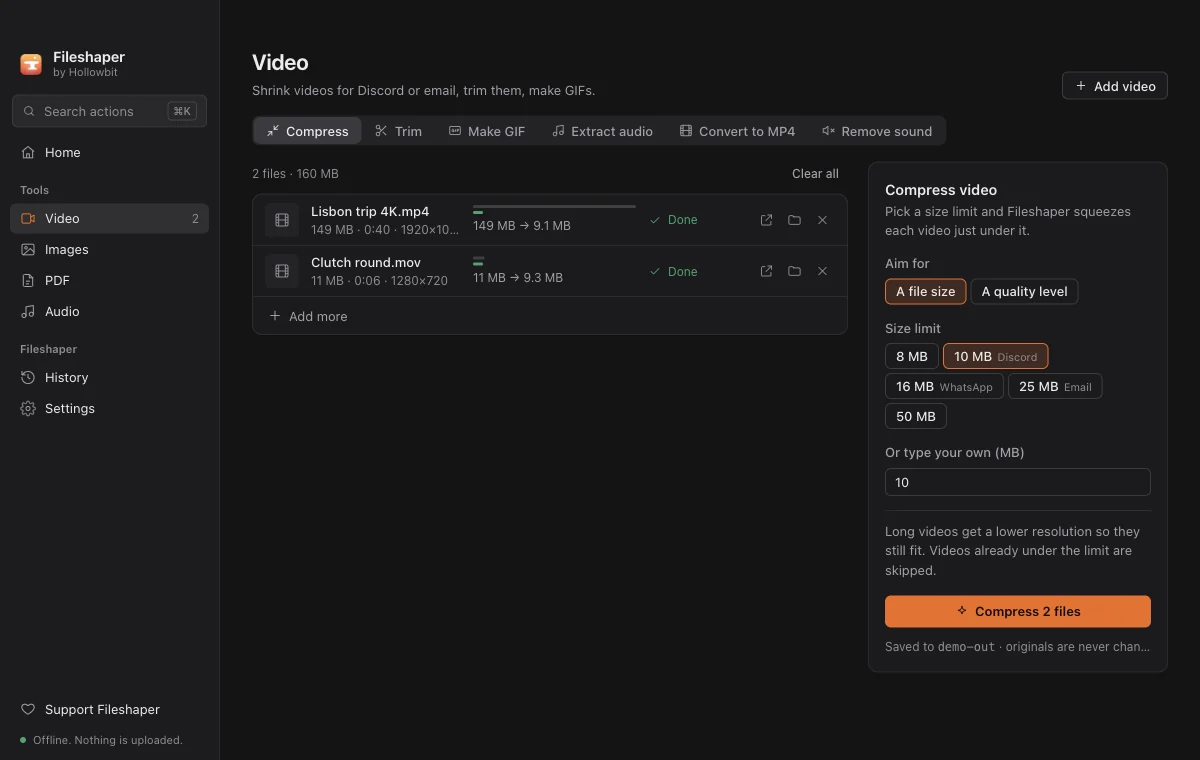
  • Compress to a size8, 10, 16, 25 or 50 MB, or your own number. Long videos drop resolution so they still look clean.
  • Compress by qualityHigh, balanced or smallest, when the size doesn't matter.
  • TrimDrag two handles on a live preview and keep only the part you want.
  • Make a GIFPick a few seconds, choose smoothness and width.
  • Extract audioSave the sound of any video as an MP3.
  • Convert to MP4MOV, MKV, WEBM and AVI become MP4, which plays everywhere.
  • Remove soundKeep the picture exactly as it is and drop the audio.
Video

Images

iPhone photos that won't open on Windows, fixed in bulk.
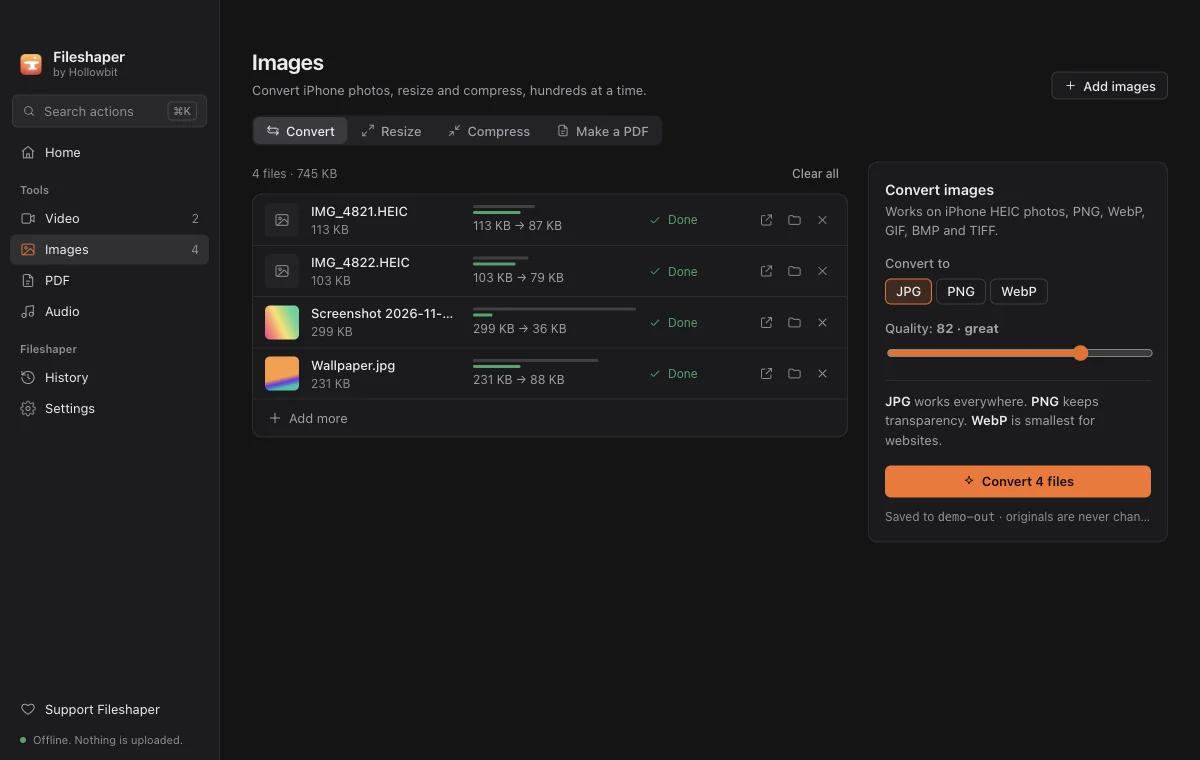
  • ConvertHEIC, PNG, WebP, GIF, BMP and TIFF to JPG, PNG or WebP.
  • ResizeBy longest side or percentage. Photos are never stretched.
  • CompressSmaller files that look the same, ready to email or upload.
  • Images to PDFEach image becomes a page, turned the right way up.
Images

PDF

The PDF jobs you'd normally pay for, or upload your documents for.
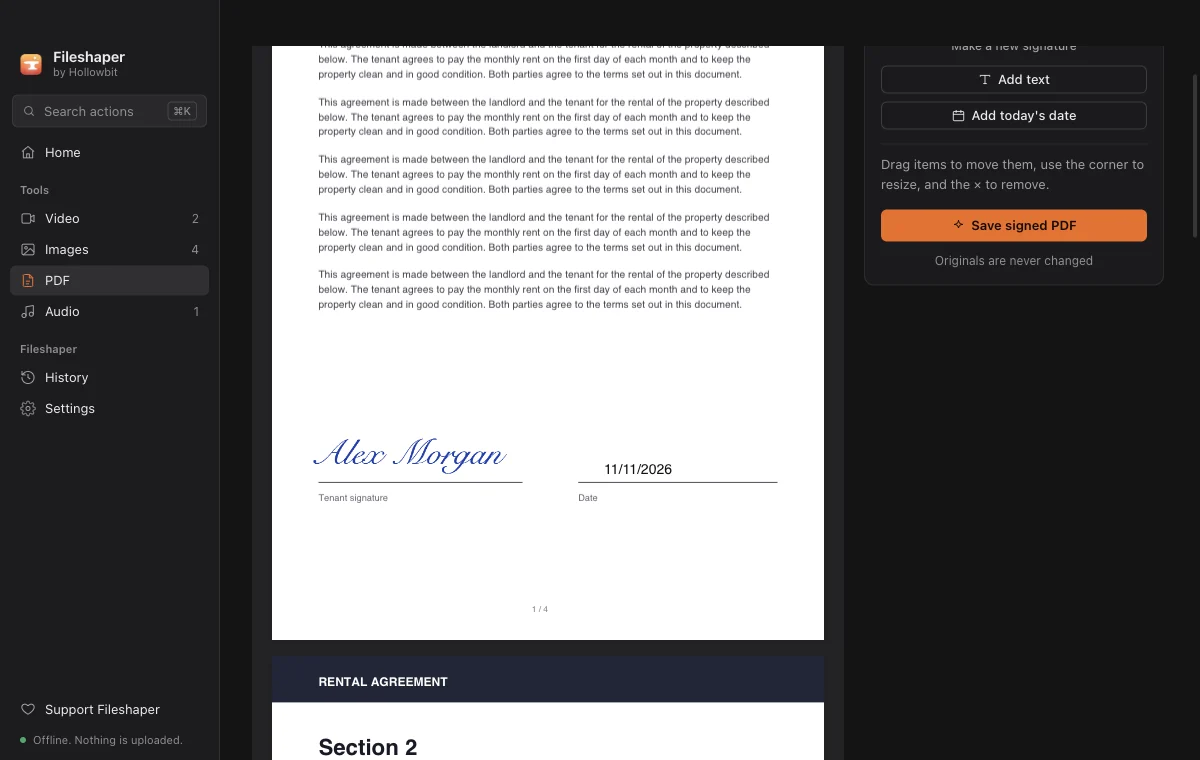
  • Sign and fillDraw or type a signature, add names and dates, and drag them into place.
  • MergeCombine PDFs in any order.
  • SplitEvery page, by ranges, or just the pages you pick.
  • Organize pagesReorder, rotate and delete pages by dragging thumbnails.
  • CompressLight keeps text selectable. Strong shrinks scans and photo-heavy files.
PDF

Audio

Voice notes, podcasts, songs and ringtones.
  • ConvertMP3, M4A, WAV, FLAC and OGG.
  • TrimCut a ringtone or the good part of a voice note, with a preview.
  • Even out volumeQuiet recordings get louder and loud ones softer, to the level streaming apps use.
Audio

In every tool

Drop anything

Drag files anywhere onto the window. Fileshaper sorts videos, photos, PDFs and audio for you.

Command bar

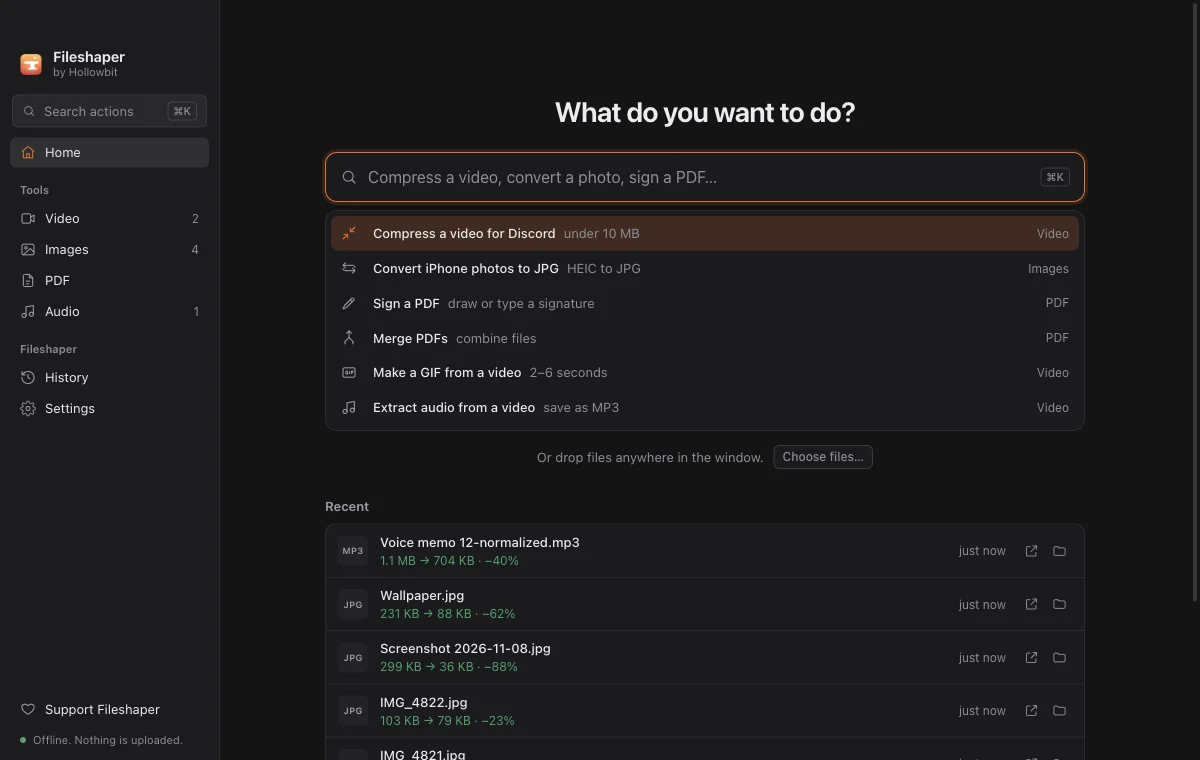
Press Ctrl K (⌘K on Mac) and type what you want, like “heic to jpg”.

Batches

Hundreds of files in one go, with progress for each one.

Originals are safe

Every result is a new file. Your originals are never changed.

See the saving

Each result shows its size before and after.

Dark and light

Dark by default, with light mode or your system's setting in Settings.